Windows Backup Tool to Fix Any BKF Error in Windows System
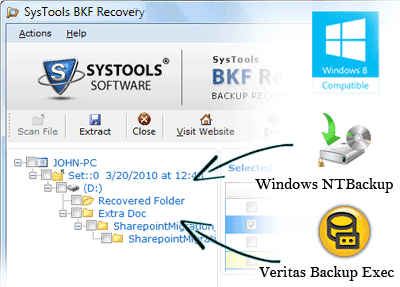
Our Windows Backup Fix tool is the influential backup recovery application to fix all BKF errors and repair corrupt Windows BKF file created using Windows ntbackup.exe or VERITAS backup exec utility. Software allows users to recover the entire valuable files like images, audio, email, documents files from inaccessible/corrupted BKF data.
Our BKF File Recovery software professionally restore files like images, pictures, music, email, registry, exchange email mailbox, document etc from corrupt BKF file due to unexpected backup interruption, software malfunction, corruption of a hard drive, virus or Trojans infection, unexpected system shutdown or system failure.

Brilliant Windows Backup Recovery Tool & Fix BKF Flawlessly
SysTools BKF Repair software ensures perfect windows backup fix BKF using this tool and you will witness the satisfaction you were looking for.
Is BKF corruption hampering your peace of mind? Is the thought of losing crucial data making you immensely tensed and worried? You need a good Microsoft backup fix tool. SysTools can help you! Its BKF Repair tool is truly what you desire. It is a brilliant backup fix tool that can help you regain your peace and terminate your tensions and worries about data loss. Its BKF fix process if simple, error-free and quick. When your data items (like pictures, text files, music files, emails, documents etc) get damaged due to any corruption issue, then SysTools BKF Repair will help you in MS Windows backup fix BKF using this tool and you will get data back from corrupt BKF quickly.
Causes of corruption
There can be a number of sudden unforeseen reasons for backup file corruption. These causes are unanticipated and so are impossible to avoid. Also, these reasons are irreversible which means you can only think of Microsoft windows backup fix BKF using SysTools BKF Repair software in any of the corruption case. Some common reasons for BKF damage are:- CRC error causing trouble
- Windows backup software is faulty due to some malfunctioning
- Hard drive got corrupted
- System software failure
- Trouble due to missing catalog files
- Virus attack or Trojan infection on the system
- Hasty improper system shutdown
- Backup interruption
These and many more reasons can account for backup corruption. But your BKF files are not really lost! They are still existent in your system and their data can be recovered using SysTools BKF Repair software. This software can recover backup data rapidly, effortlessly, fixedly with no change in original data, limitlessly of more than 300 GB size, completely with whole metadata protected and comprehensively for all 32-bit Windows versions. You can easily MS backup fix will be at your mouse clicks. So don’t wait…perform windows backup fix BKF now with this proficient tool of SysTools.